
Key Features
-
Purchase a grave directly from Grave Management
-
Select an existing owner or create a new owner during purchase
-
Add occupants at the time of purchase or at a later date
-
Automatically updates grave status and history
Before Purchasing a Grave:
-
Your cemetery structure must already be set up
-
The grave must be marked as Available and Usable
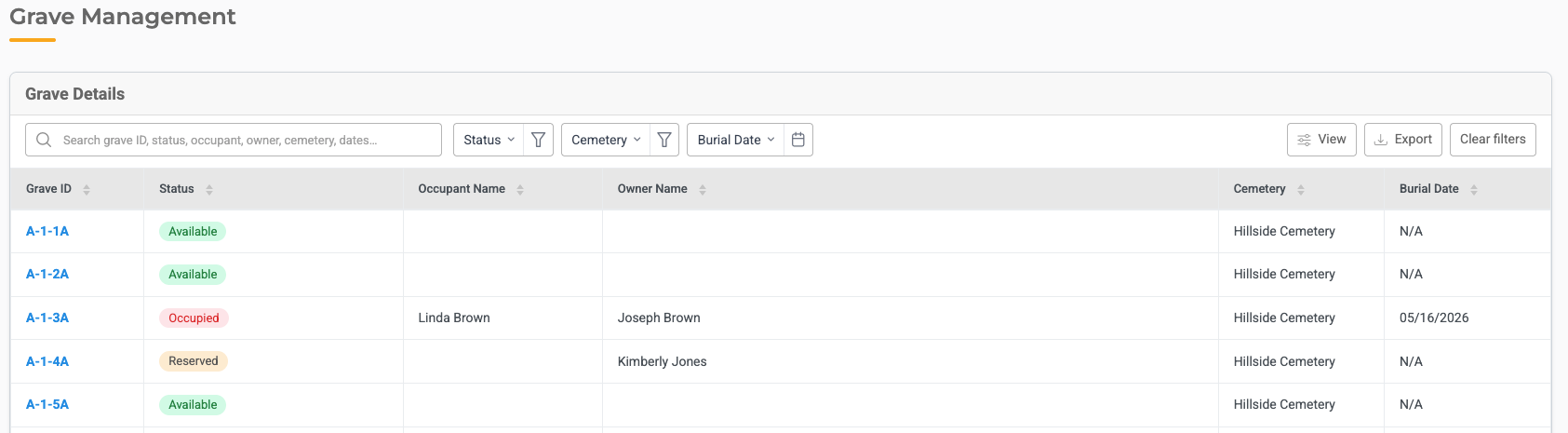
How to Purchase a Grave
-
Go to Cemetery → Grave Management
-
Identify the grave for purchase
-
Click the grave to open its details
-
Select Purchase
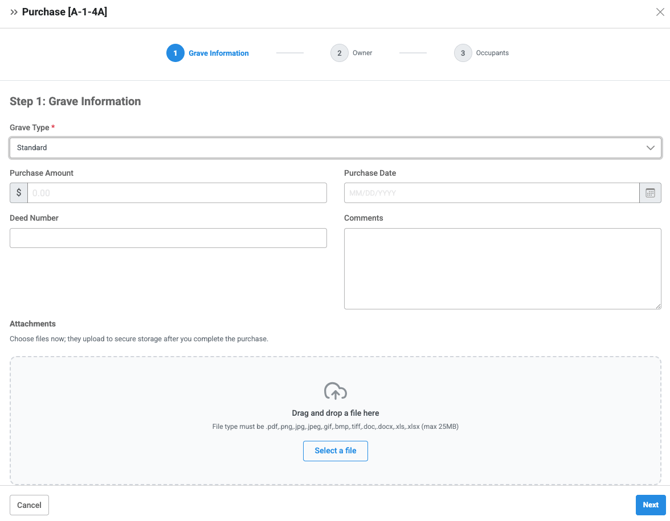
Step 1: Enter Grave Information
-
Grave Type
-
Purchase Amount
-
Purchase Date
-
Deed Number
-
Comments
-
Attachments
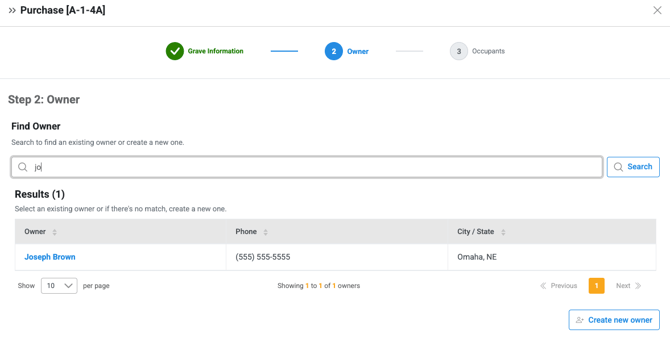
Step 2: Add Existing or Create New Owner
When purchasing a grave, you can choose how to assign ownership by:
Choosing an Existing Owner
-
Search for an existing owner
-
The owner’s information will fill in automatically
Note: If owner's information has changed, you can edit it after purchasing the grave.
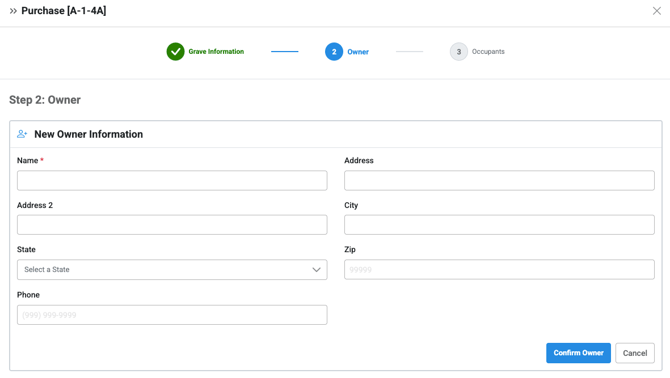
Creating a New Owner
-
Choose Create New Owner
-
Enter the owner’s name and address information
-
Save
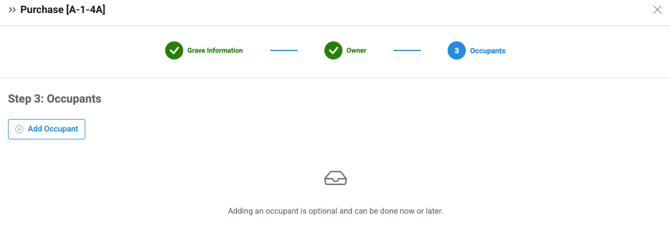
Step 3: Occupants (Optional)
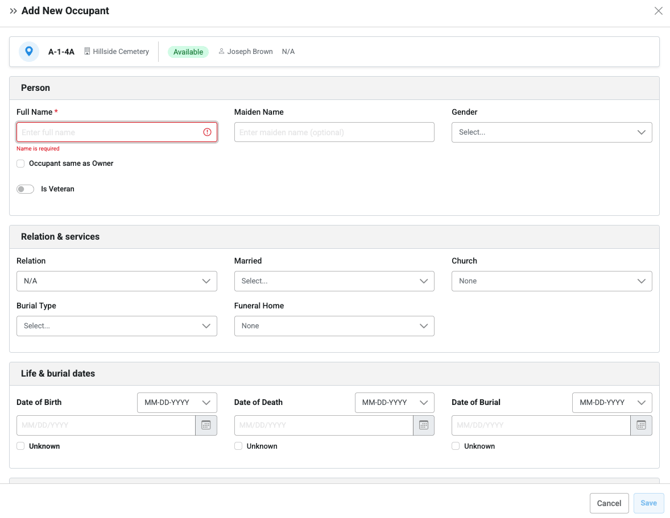
Add occupants now or purchase the grave without occupants:- If adding an occupant during purchase, select Add Occupant
- Enter the occupant's name and information
- You can reserve a grave for someone by adding in their information
- To record the burial, a Date of Burial is required
- Save
Step 4: Complete the Purchase
-
Click Purchase
After saving:
-
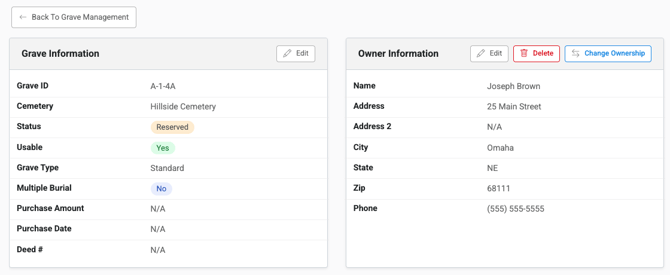
The grave status updates to Reserved
- If an occupant was added with a Date of Burial, the grave status updates to Occupied
-
Ownership appears on the grave record
-
The purchase is recorded in the grave’s historical log
Helpful Tips
-
Add occupants later if burial details are not yet known
-
An owner can purchase as many graves as they need
-
Ownership can be transferred in the future without losing history
-
Always verify the grave location before completing the purchase
Troubleshooting
Issue: You can’t purchase a grave.
Fix: Make sure the grave is marked as Available and Usable.
Issue: An owner doesn’t appear in the search.
Fix: Create a new owner during the purchase.