
This workflow allows you to change the owner of a grave. When changing ownership, you may select an existing owner or create a new owner record. The new owner's details replace the previous owner's on the grave. All changes are automatically tracked in the grave's history.
Key Features- Change ownership directly from the grave's details in Grave Management
- Select an existing owner or create a new owner during the change
- Owner information updates on the grave record automatically
- Each transfer is recorded in the grave's Historical Log
- The grave must already have an owner, for example from a grave purchase
- If you are using an existing owner, that owner record must already exist
- For a new owner, have their name and contact information on hand
- Go to Cemetery → Grave Management
- Identify the grave
- Click the grave to open its details
- Under Owner Information, select Change Ownership
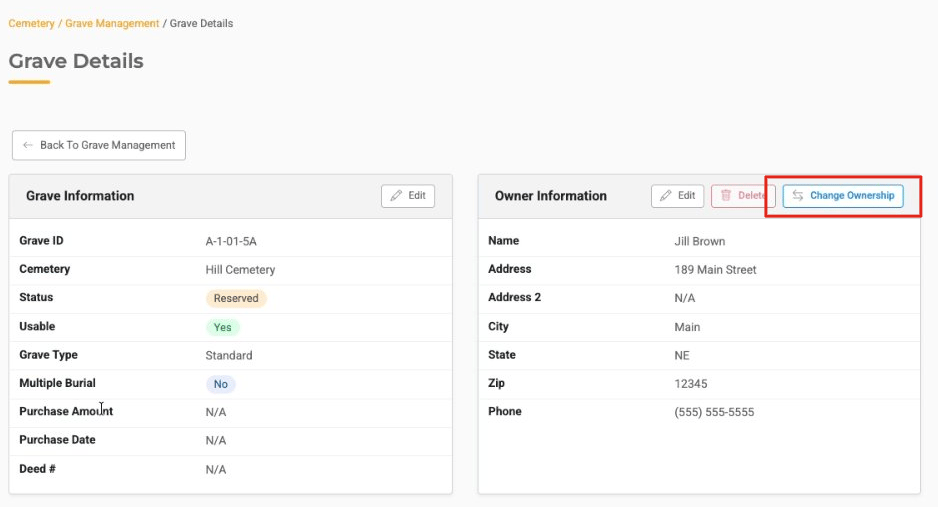
The Change Owner panel opens.
Step 1: Choose an Existing Owner or Create a New OwnerWhen changing ownership, you can choose how to assign the new owner by:
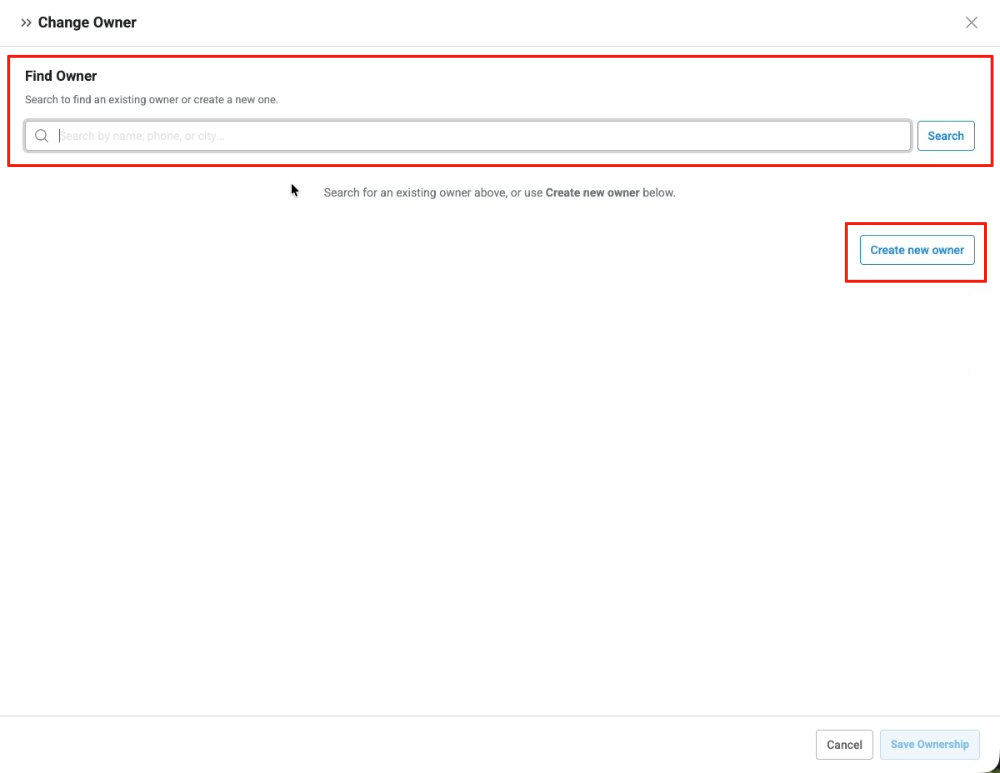
Choosing an Existing Owner
- Under Find Owner, type the owner's name in the search field
- Click Search
- Select the owner from the results
- The owner's information displays so you can review it
Note: If the owner's information has changed, you can update it after saving by selecting Edit under Owner Information.
Creating a New Owner
- Choose Create new owner
- Under New owner information, enter the owner's details:
- Name (required)
- Address
- Address 2
- City
- State (select from the list)
- Zip
- Phone
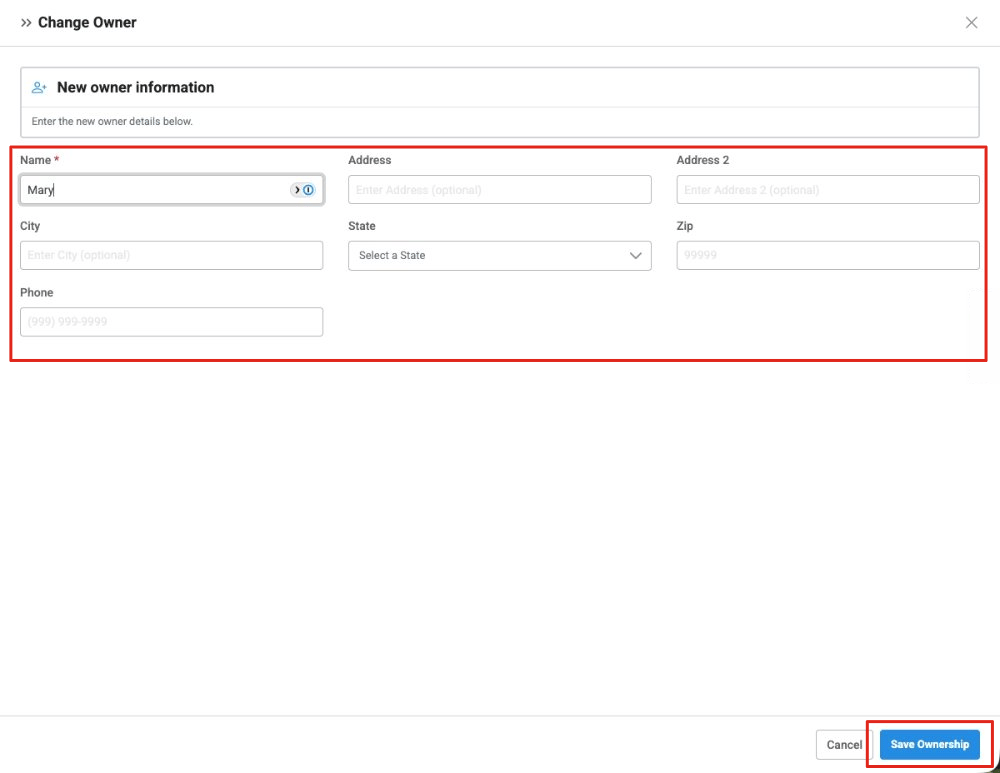
- Click Save Ownership
Note: To leave without making changes, click Cancel.
After saving:
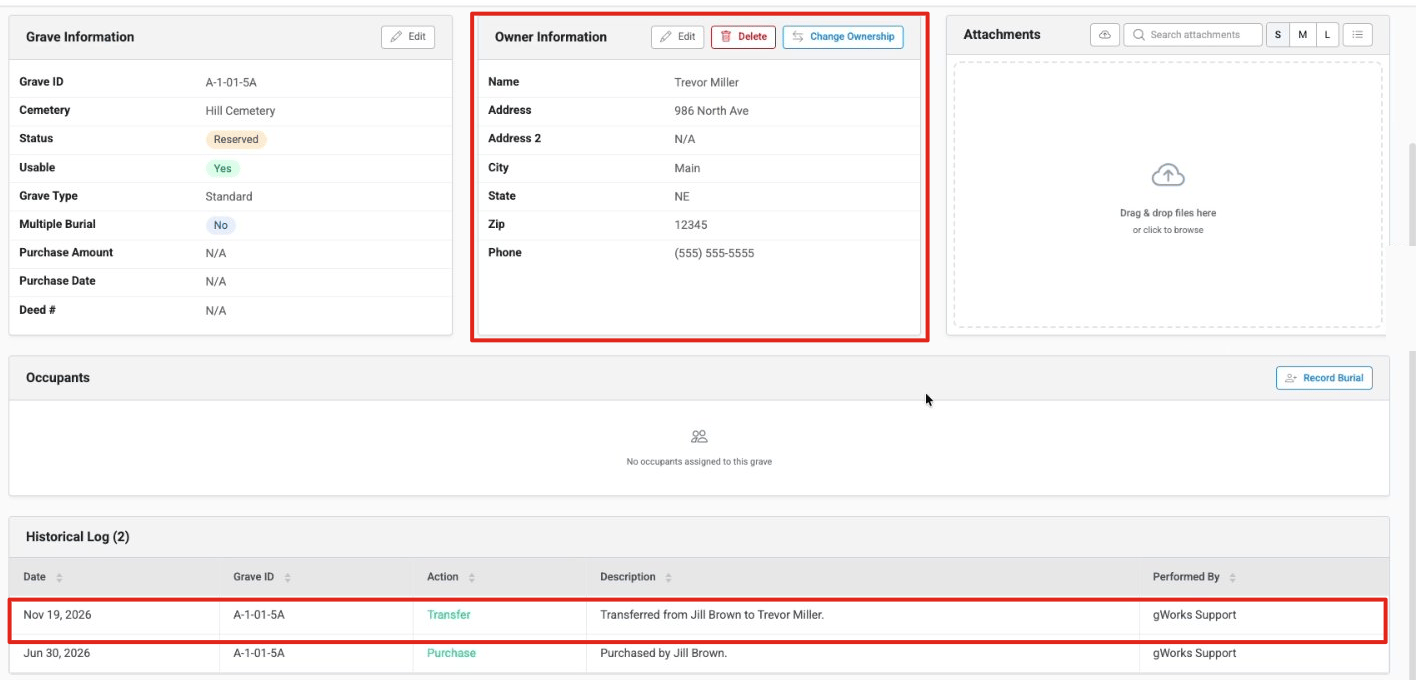
- The new owner's details appear under Owner Information on the grave
- The new owner's name shows in the Owner Name column in Grave Management
- The change is recorded in the grave's Historical Log with the action Transfer, a description such as "Transferred from [previous owner] to [new owner]", the date, and who performed it
- The grave's Status does not change
- Search for an existing owner first to avoid creating duplicate owner records
- An owner can own as many graves as they need
- Ownership history is kept, so earlier owners and the original purchase stay visible in the Historical Log
- Always verify the grave before saving the change
Issue: An owner doesn't appear in the search.
Fix: Select Create new owner and enter their information.